User Flow Planning Guide
8 min read
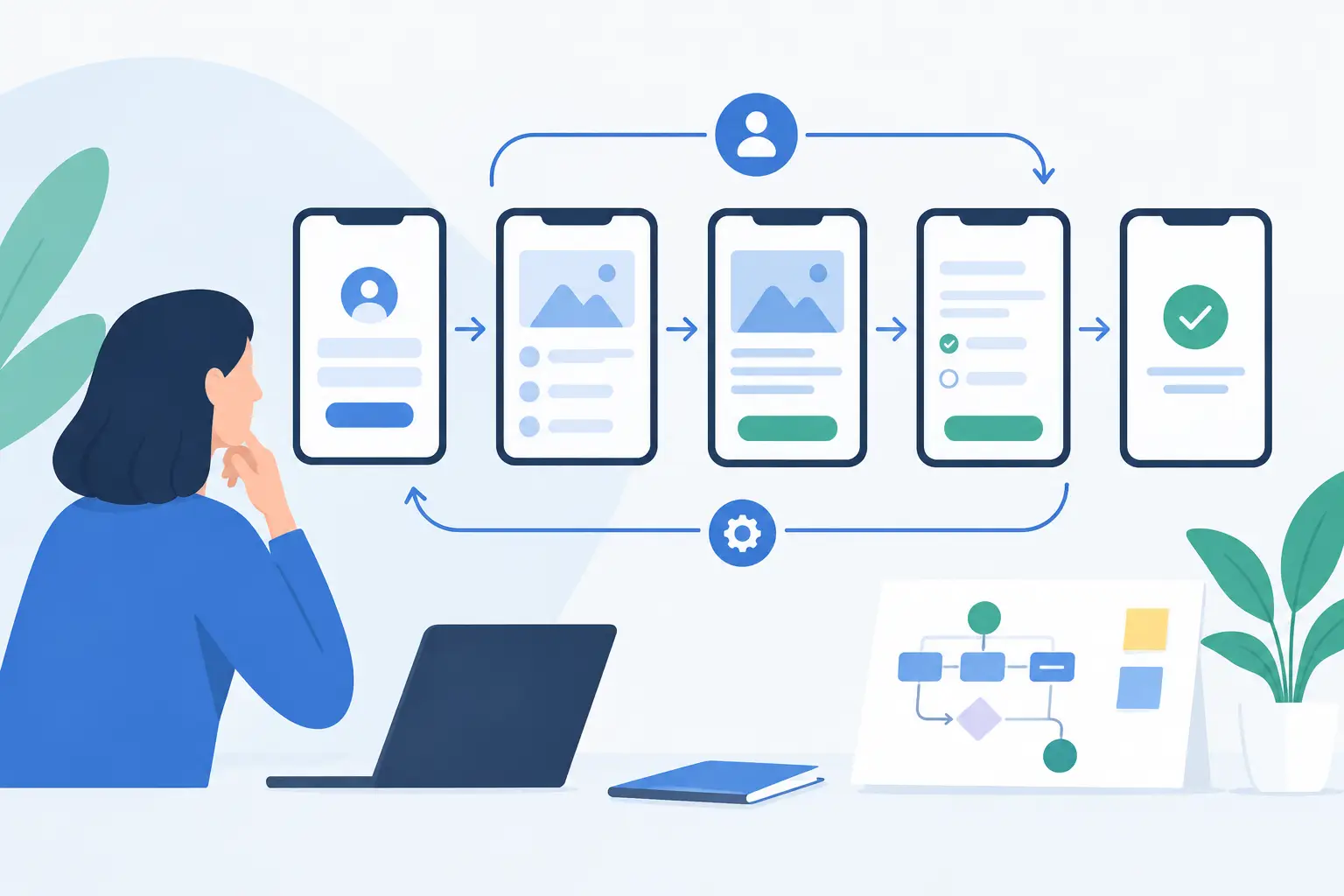
A visitor doesn't think about your website's structure. They want to find an answer, check an offer, compare options, or submit an inquiry — as fast as possible and with no guesswork. That's exactly why a guide to planning a user flow is more than a design exercise. It's a way of aligning your website with how people behave and with your business goals.
A good web solution doesn't leave the next step to chance. It guides a visitor with clear content, the right information hierarchy, and thoughtful calls to action. That doesn't mean every path needs to be identical. It does mean every visitor who matters needs a reasonably simple answer to the question: "What can I do now?"
What a user flow is, and why it affects results
A user flow is the sequence of steps a person takes from their first contact with a website to their goal. That goal might be buying a product, submitting a form, booking an appointment, signing up for a consultation, or downloading a quote. For an online store, the typical path runs from category and product to cart and checkout. For a service business, it often starts with a search for a solution, continues through reviewing testimonials, and ends with an inquiry.
This is often exactly where the difference between an attractive site and an effective one shows up. An aesthetically pleasing homepage can catch a visitor's attention, but on its own it doesn't explain the next step. If a user has to hunt for prices, contact info, delivery details, terms of collaboration, or the right service, the chance they leave the site goes up. Every extra moment of hesitation is friction. Every unnecessary click is a chance for attention to disappear.
For a business, a well-planned flow has a very concrete effect: fewer questions the website should have answered, higher-quality inquiries, fewer abandoned carts, and better use of the traffic you already have. More traffic isn't always the answer. Sometimes it makes more sense to improve the path for the people already arriving on your site.
A step-by-step guide to planning a user flow
Start with the business goal, not the menu
The most common mistake is starting a site's structure with the question of which subpages you need. A better question is: which business outcome does the site need to support? If a business sells a complex B2B service, an immediate purchase probably isn't a realistic goal. A quality contact, a consultation booking, or a quote request makes more sense.
For every important part of your website, define one primary goal. The homepage can direct a visitor to the right service. A service page should explain the problem, your approach, and the benefit, and invite the next step. A contact page should remove doubts about reachability, response time, and the information a visitor needs before submitting an inquiry.
One goal doesn't mean one single option on the whole page. It means the priority is clear. If you offer five different actions at the same level, you're telling the user to decide with not enough context.
Define the user and their starting point
People don't arrive at a website with the same amount of prior knowledge. One person knows you by referral and wants to immediately check your testimonials. Another finds you through search because they're solving a specific problem. A third is comparing providers and looking for proof that you understand their industry.
So don't plan for an abstract "user." Describe a handful of the most important scenarios. For an online store, that might be a customer who knows exactly what they need, and one who wants to compare products first. For a service business, common scenarios are a visitor with an urgent problem and a visitor still in the early stages of planning a project.
For each scenario, answer three questions: what the user wants to achieve, what they need to learn before deciding, and what could stop them. This last point is often the most valuable. If a customer needs a rough price range, a delivery timeline, or an example of a comparable project before submitting a form, don't hide it behind unnecessary steps.
Sketch the path before designing screens
Sketch the user flow simply first. Start with the entry point, then the main decisions, and the desired endpoint. You don't need a complex diagram. What matters is that your team can see where the user chooses, where they get additional information, and where the path might break.
An example path for a service provider might look like this: a visitor lands on a specific service page, recognizes their problem, checks your way of working and your testimonials, picks a time slot or fills out a short form, then receives clear confirmation. If, between these steps, they end up on three generic pages that add no useful information, the flow is too long.
That said, don't force every visitor into a single straight line. One will want to look at testimonials first, another the team, a third the price list. A good flow accounts for these needs, but doesn't put them ahead of the main goal. It's a balance between guidance and freedom of choice.
Arrange content around the moment of decision
The right information in the wrong place doesn't help much. At the top of the page, a visitor needs to quickly understand who the offer is for, what it solves, and why it's relevant. Only then do they need details, process, technical specs, testimonials, and answers to their objections.
The same applies to calls to action. A "Send an inquiry" button is appropriate once a visitor has already been given enough reasons to get in touch. A form placed too early can feel pushy. On the other hand, don't force a user to go hunting for contact info again after reading a description. The call to action should appear where the decision feels natural.
Button text should say what happens next. "Book a consultation," "Check what's possible," or "Request a quote" often work better than a generic "Submit." Not because the wording is a marketing trick, but because it reduces uncertainty.
Where a user flow most often breaks
Problems aren't always visible at first glance. A site can load fast, have great photos, and modern design, and still fail to get the user to their goal. A common cause is confusing navigation, with labels that only make sense to the team inside the business. Another is a form asking for too much information before basic trust has been established.
For online stores, the break often happens at the cart. Unclear shipping costs, a required account creation, too little information about returns, or a complicated delivery selection quickly stop a purchase. For service websites, the critical moments are a lack of concrete proof, an unclear scope of service, and not knowing what happens after a form is submitted.
Sometimes a shorter flow is better. Sometimes a visitor legitimately needs more information before a larger investment. For complex projects, an overly simplified path produces low-quality inquiries and disappointment on both sides. So the goal isn't the fewest clicks at any cost — it's the fewest unnecessary clicks.
Verify the flow with real data
Assumptions are a good starting point, but they're not proof. Once a site is live, track which landing pages bring in the most quality contacts, where users abandon forms, and which content they visit before submitting an inquiry. Data shows a pattern, but not always the reason behind it. So supplement it with short conversations with customers and by watching people use the site for the first time.
Checking the mobile experience is especially valuable. On a phone, decisions happen faster, there's less space, forms feel more demanding, and distractions are more frequent. What's clear on a large screen can be confusing on a phone. If an important flow requires a lot of zooming, scrolling, or typing on mobile, it needs adjusting.
Roll out changes thoughtfully. If you change the navigation, copy, form, and visual identity all at once, you'll have a hard time knowing what actually improved the result. Pick one critical point, set a success metric, and check the effect.
A user flow is a business decision
Planning a user flow isn't an add-on that happens after design and development. It determines what content you need, how your admin panel is built, which external systems make sense to connect, and how the web solution will support sales or your team's work.
Once a user's path is clear, decisions about design and technology get better too. Design gets a clear job, development gets clear priorities, and the business gets a website that doesn't need constant explaining. The best next move is simple: pick one important goal on your site, walk the path to it yourself, and write down, without sugarcoating it, every moment where a visitor could get stuck.